Integration guide
DeepSeek Harness
DeepSeek Harness (dsh) is DeepSeek's open-source agent harness. Its Web UI can register any OpenAI-compatible endpoint as a custom provider — point one at CrossModel and the whole catalog shows up in the model picker.
Quickstart
1. Start DeepSeek Harness
Install Node.js, then run:
npx @deepseek-ai/dsh webThe command prints the Web UI address — http://127.0.0.1:3080 by default. Open it in a browser.
2. Create an API key
Sign in to the Console and create a key that starts with cm- on the API Keys page. The key is shown only once, so copy it somewhere safe.
3. Add CrossModel as a custom provider
Open Settings → Models and choose Add a custom provider.
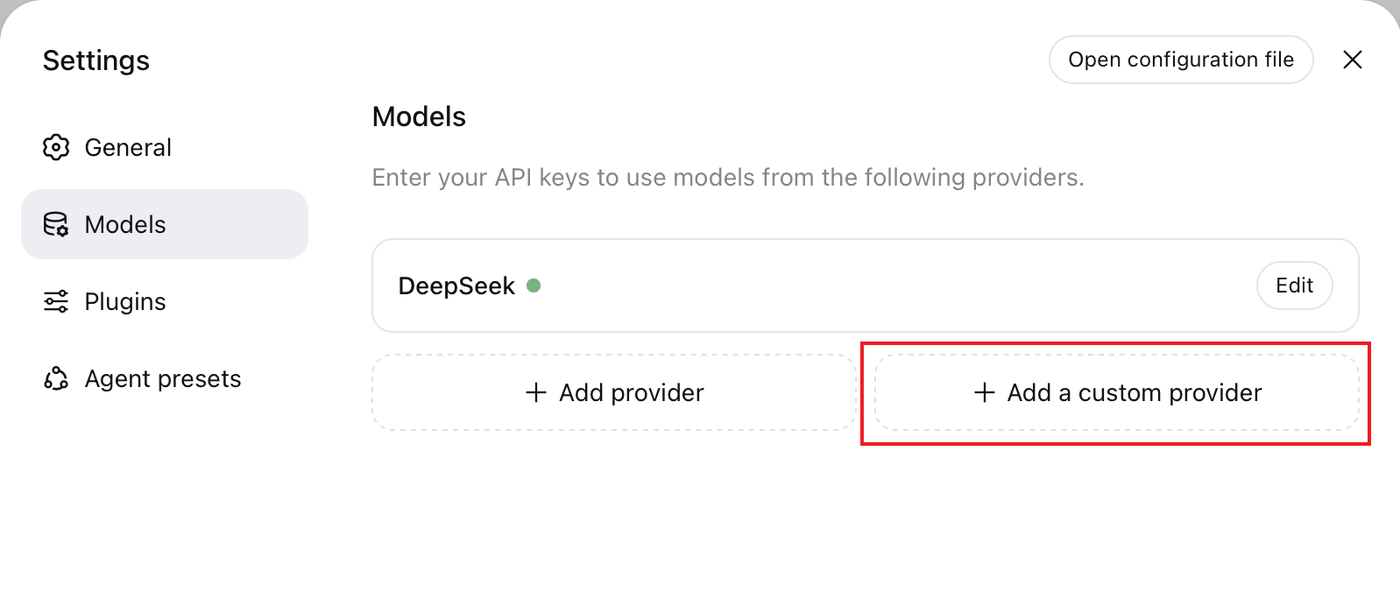
Fill in the form:
| Field | Value |
|---|---|
| Provider ID | crossmodel |
| Display name | CrossModel |
| Base URL | https://api.crossmodel.ai/v1 |
| API protocol | openai-completions |
| API key | your cm- key |
The Provider ID is permanent — sessions, model defaults, and the stored credential all reference it, so renaming later means adding a new provider and deleting the old one. Every other field stays editable.
4. Add the models
Under Models, choose Fetch available models to read the catalog from https://api.crossmodel.ai/v1/models and pick what you want. You can also type IDs by hand — they follow the vendor/short_name format, e.g. deepseek/deepseek-v4-flash, openai/gpt-5.6-luna, anthropic/claude-sonnet-4.6. The full list is in the model catalog.
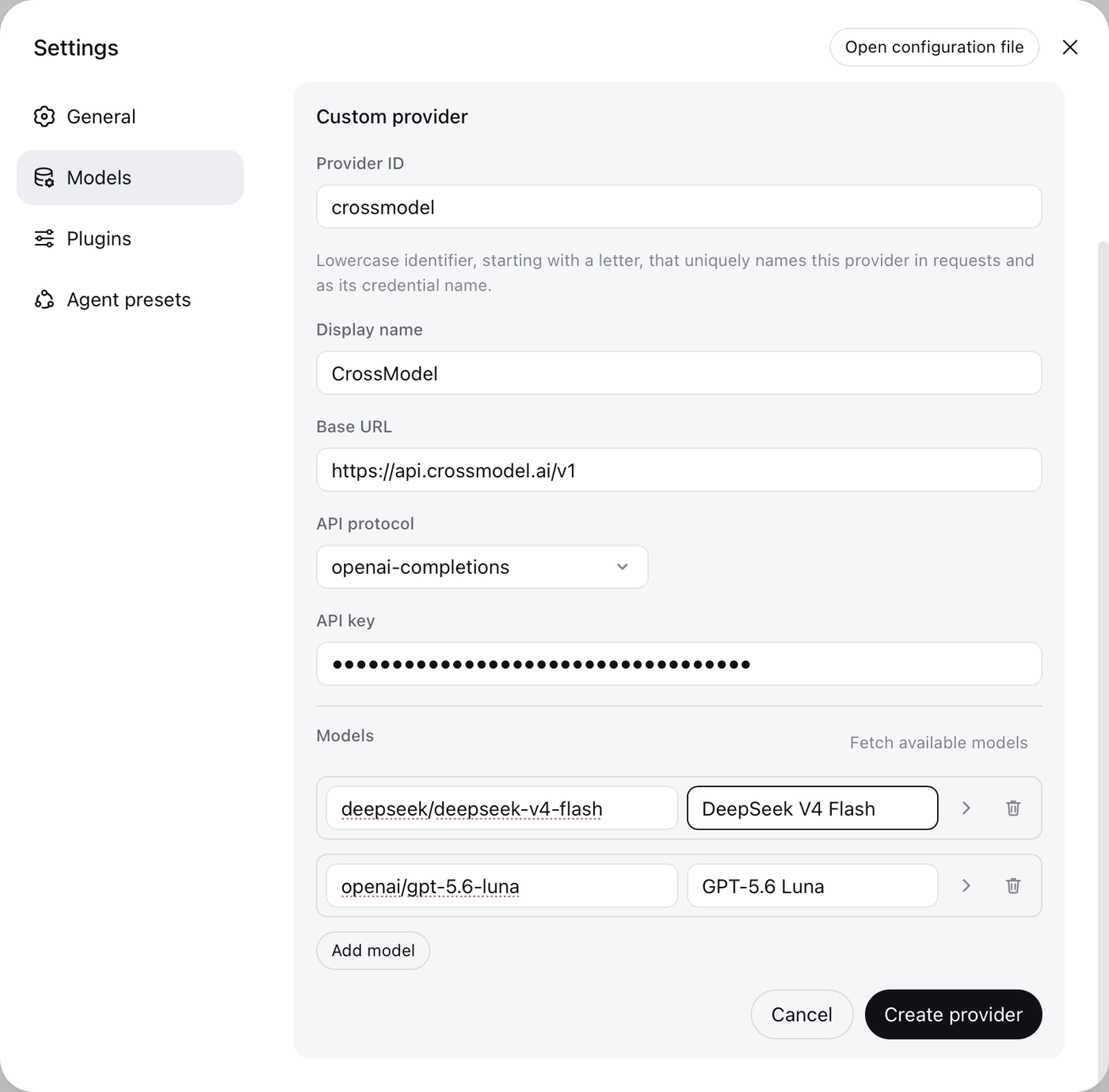
Save the provider. Model changes take effect on the next request — no need to restart dsh.
5. Pick a model and start
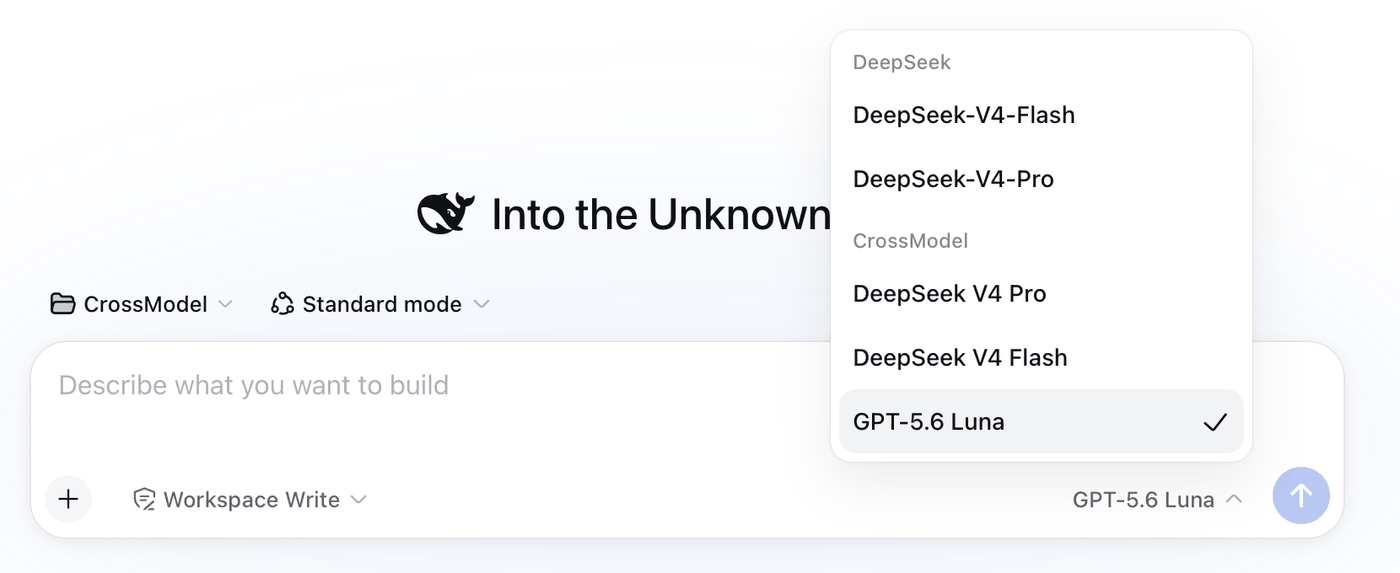
Select a workspace, open the model picker in the composer, and choose a model under CrossModel. The selected model also becomes the default for new sessions.
Declare images and reasoning
A model you enter by hand — including one added through Fetch available models — is described only by what the form recorded, so DeepSeek Harness treats it as text-only and non-reasoning until you say otherwise. Both are one line in $DSH_HOME/settings.yaml; the form has no field for either.
The form already wrote a llm-pi-ai block for the provider. Edit the models list it created and leave the other fields alone.
Image input
llm-pi-ai:
  providers:
    crossmodel:
      models:
        - id: deepseek/deepseek-v4-flash
        - id: anthropic/claude-sonnet-4.6
          input: [text, image]
Attaching an image to a model without input: [text, image] is refused before the request is sent. If every model on the provider takes images, set defaultInput: [text, image] on the provider instead of repeating the line. Whether a model accepts images is listed on its page in the model catalog.
Reasoning
llm-pi-ai:
  providers:
    crossmodel:
      compat:
        supportsDeveloperRole: false
      models:
        - id: deepseek/deepseek-v4-pro
          reasoningEfforts:
            off:
            high: high
            max: xhigh
Each key is a level the picker offers; each value is what travels as reasoning_effort. CrossModel accepts none, minimal, low, medium, high, and xhigh — how much of that a model actually spends depends on the model you choose. off may leave its value empty, meaning the parameter is omitted.
supportsDeveloperRole: false belongs with it. A model that declares reasoning gets its system prompt sent with role: "developer", which some models reject; system works for every model on CrossModel, so the switch is safe to set even when nothing on the provider reasons.
You do not need compat.thinkingFormat or compat.maxTokensField: CrossModel reads OpenAI's reasoning_effort, and accepts both max_tokens and max_completion_tokens.
Use an environment variable
On servers, in containers, or in CI, reference the key by environment variable instead of storing it through the form:
llm-pi-ai:
  providers:
    crossmodel:
      apiKeyEnv: CROSSMODEL_API_KEY
export CROSSMODEL_API_KEY="cm-YOUR_KEY"Do not commit a real API key to your repository.
Troubleshooting
| Symptom | What to check |
|---|---|
MISSING_CREDENTIAL | The key was never saved for this provider, or apiKeyEnv names a variable that is not set. Re-enter it under Settings → Models. |
UNKNOWN_MODEL | The model is not in the provider's model list. Add its ID exactly as /v1/models reports it. |
| Fetch available models returns 401 | Confirm the key starts with cm-, is still active, and carries no stray spaces. |
A reasoning model fails with an error naming the developer role | Set compat.supportsDeveloperRole: false on the provider. |
| An image is refused before it is sent | The model declares no image modality. Give it input: [text, image]. |
| An image is rejected after it is sent | That model does not accept images. Remove image, then start a new session — the attached image stays in the session log, so the same request repeats until you move off it. |
| Insufficient balance | Top up in the Console. |